Available
Android
Download from the official Google Play listing.
Open Google Play (opens in a new tab)Download
Install the official FHCC conference companion from its official store listing.
Availability
MultiVerso is available for Android through Google Play. An official App Store listing for iPhone has not been published; this page will be updated if that changes.
Download from the official Google Play listing.
Open Google Play (opens in a new tab)No official App Store listing has been published. We do not link to unofficial sources.
Installation
On your Android phone, tap “Get it on Google Play” — or scan the QR code with your camera.
On the MultiVerso listing in Google Play, tap Install.
Open MultiVerso and follow the prompts on screen.
App screens
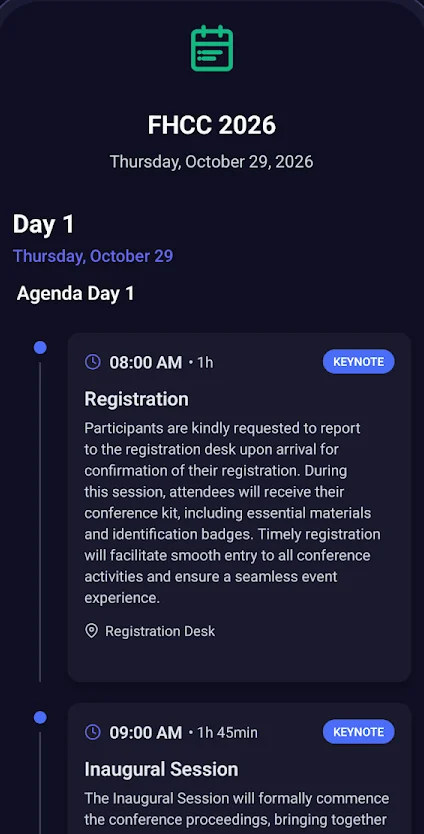
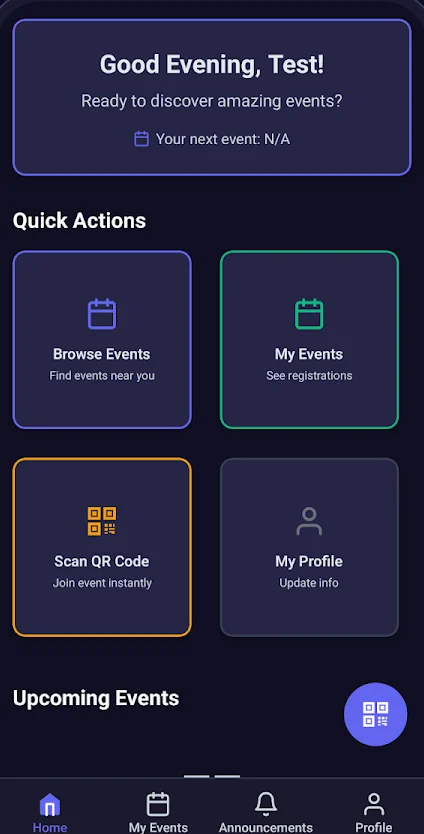
MultiVerso is a mobile conference companion app. It brings the conference program, speaker information, announcements and essential event information together in one place. It is the official app of the International Conference on Future of Healthcare (FHCC).
Yes. The official FHCC International website links to MultiVerso on Google Play as the conference’s Android app.
On an Android phone, open our Download page and tap “Get it on Google Play”, or scan the QR code with your phone camera. Then tap Install on the Google Play listing.
MultiVerso is available for Android through Google Play. An official App Store listing for iPhone has not been published, so we do not offer an iOS download. We will update this answer if that changes.
Yes. MultiVerso presents the program day by day, with each session’s time, duration and location.